
As happens so often in an author's life, there was a technical snafu here at WITS on Wednesday. But we love this post so much, we're rebooting it for you today! Thanks for your patience.
by Lynette M. Burrows
I love being an independent author-publisher. Being in control of my business gives me a great deal of satisfaction. It also gives me a lot of responsibilities and a heck of a lot of things to know. In part one of this series, I discussed some of the big picture things I wish I knew before I published. Part II continues with big picture things.
Know Your Motivation

You are a writer. You already know how much self-discipline it takes to write a book from first idea to polished product. Applying the seat of your pants to the seat of your chair may not be a problem for you when you’re writing. That kind of motivation is a big picture motivation. But what about the other stuff that a successful author must do?
Motivation for the Traditionally Published
A traditional publishing company will create deadlines relayed to you by your editor. Revisions are due on this date, approval of copywriting is due on a different date. Motivation to complete those tasks cannot be the money or the hope of publishing fame. It takes a distinct set of self-discipline skills to finish creative tasks in a certain time frame. Your publisher may dictate other things as well. Your contract may dictate where and when you make appearances. It doesn’t matter if you don’t feel like it. It’s part of your contract.
These situations and time-frames do not have to be negative. Many authors have very pleasant and lucrative relationships with traditional publishing. Educate yourself on what to expect. Ask authors published by that company what their experience has been like. Know what your contract obligations are. Understand yourself, your self-discipline, and your expectations. Be prepared and you won’t lack motivation.
Motivation for the Independent Author-Publisher
When you’re self-employed, no one will yell at you if you’re late to work or even skip a day. You have no boss to remind you of your deadlines. You must be self-motivated enough to glue your butt to the chair to get the work done.
Winging it isn’t the path to success. Have a plan. Have tools ready to help you stay on track. You also will need tools to get back on track when you’re depressed or after a hurtful review or an illness. When you are self-employed, you have to be worker bee, cheerleader, and taskmaster, sometimes all at once.
What I Wish I Knew About Motivation
I do not lack motivation to write. I love the entire process, from idea creation to rough draft to editing and polishing. What I wish I knew from the beginning was that I needed a system to ensure all the other tasks get done. I also wish I’d found the motivation to learn self-promotion techniques earlier.
What to Know About Copyright

Every author needs to understand the copyright laws of their nation and know if their nation takes part in international copyright agreements and what those agreements are.
The Library of Congress is the largest library in the world. It is the research library of the U.S. Congress, the U.S. national library, and home to the Copyright Office. Tens of millions of works have registered copyrights and are in the Library of Congress. As a research library, they do not check out materials. Researchers use materials in-house only.
The Copyright Law of the United States (Title 17), is a long and complicated document. Do you need to read it in its entirety? Probably not, but you should consider it. The more you know….
Part of US copyright law says is from the moment you commit an intellectual property to a permanent or semi-permanent media (paper, computer, disc, etc.) you own the copyright to that work. It also says the owner of the copyright can sell or transfer parts or all of the rights.
It does not guarantee you the legal right to sue for compensation if someone has violated your copyright. For that, you must register your copyright with the U.S. Copyright Office before the offense occurs.
Disclaimer: I am not an intellectual property rights attorney. It is your responsibility to understand copyright laws and seek legal advice from professionals as needed.
What Traditional Publishers Know About Copyright
Registered copyright is pretty important in the world of traditional publishing. So important that the publisher takes care of it. Look at any traditionally published book on your bookshelves, you’ll see the notice. They also register the book with the Library of Congress.
What Independent Publishers Know About Copyright
Unfortunately, too few independent authors understand copyright law. Many feel it is unimportant to register their work. Others still think that mailing a copy of their manuscript to themselves in a sealed envelope secures their copyright. It does not.
There is a cost to registering your copyright, though in the grand scheme of things it is not much. The registration process can take a month or more. Time many independent author-publishers do not want to spend. They feel getting the product out and selling is more important.
But a registered copyright is proof of ownership if ownership comes into doubt.
What I Wish I Knew About Copyright
I wish I knew more about registering copyright and getting my books in the Library of Congress before I published. It would have been nice to know one must register the copyright within three months of having published a work. (My bad. I should have done more research.) And I wish I’d known more about how to get my books into public libraries. (Hint: having a registered copyright helps.)
Know How to Protect Your Rights

From plagiarism to piracy, content thieves are everywhere. So all authors need to know how to protect themselves and their rights.
Plagiarism refers to someone presenting your words as theirs. Piracy is when a website or person takes a copy of your book without your authorization and places that book on the internet for people to download either for free or for profit. Sometimes a pirate puts up a copy of your book’s cover for sale but doesn’t have your book and has no intention of selling anything. These pirates are after the credit card and identity information entered by unsuspecting buyers. Depending upon the laws of the nation(s) involved, this may not be copyright infringement but would be fraud.
It is illegal to publish any copyrighted book without permission. Even reading an illegally published book is illegal. Yet, E-piracy is big business. It affects all authors regardless of their publishing path. Just as the internet makes publishing easy for us, it makes it easier for thieves to steal. It’s also easy to hide identities, locations, and if one site gets shut down, another pops up somewhere else.
What Traditional Publishers Know About Piracy
Traditional publishers often have a team of intellectual property lawyers. As a result, some pirates consider traditionally published books more risky and avoid them.
What publishers know is that they have to defend their copyright in order to keep it. When they receive notification of an infringement, the publisher’s attorneys send a cease-and-desist letter. The attorneys may send a more strongly worded letter or start legal proceedings if the website doesn’t take down the book.
What Independent Author-Publishers Know About Piracy
Should you worry? Yes, and no. When you learn an unauthorized copy of your work is online, you need to protect your copyright. (If you don’t, your right to legal recourse may be damaged.) You’ll need to find out who owns the website and send them a cease and desist letter. You can find detailed information, letter templates, and other resources here or by contacting any reputable intellectual property attorney. (Note: Some attorneys offer an initial brief consultation for free.)
Many authors see e-piracy as a modern form of book-lending. Others see it as free publicity. There is some truth to both statements if the book is being offered for free. You will need to decide what you will tolerate.
What I Wish I Knew About E-piracy Before I Published
E-piracy was big news when I started my publishing career and read a lot about it before I published. I knew there was a strong likelihood that a pirate would steal my book. And I knew that there was little chance a pirate would make any money on an unknown author like me. But I wish I’d known how to uncover a pirate's identity.
I also wish I knew not to engage with readers who think “information should be free.” I wish I’d understood that readers who intentionally download pirated books aren’t important to an author’s career. Most readers buy the books they want to read.
Know Your Reader

Practically every article on self-publishing includes the admonishment: Know Your Readers. It’s well-intentioned but leaves beginning independent author-publishers out in the cold. How can you know your readers when you don’t have any readers yet? How can you find out about your readers when only your writer’s group has read your book?
What “know your reader” means is knowing the genre you write well enough to know the tropes. Use the tropes of your genre in your fiction. Give those tropes, that genre, your unique twist, one that readers of that genre will enjoy. That twist makes your readers, your readers. Know what twist they expect from you.
Do Traditional Publishers Know Your Readers?
Maybe. Traditional publishers shepherd hundreds of books into the book world. That means their goals are not the same as the author’s goals. The author wants people to read their book, to earn money from their book, and maybe to gain some fame. The publisher wants to keep the big business engine running. They buy books they think will sell. They decide which books are potential bestsellers and invest most of their time and money into those books. The rest of the books they publish need to make money in order to support those best-selling books.
Traditional publishers use a team, and a lot of shortcuts to keep churning out books. The first reader reads the manuscript and recommends it to the editor. The editor reads the book on the subway, during meals at her desk, or late at night. She may be the last person at your publisher who reads the book. She presents a synopsis of the book and why she thinks it’s the one to publish to a team that usually includes the editor-in-chief (the title varies), marketing, art department, and all the other editors on that team who are presenting books they want published. The editor-in-chief can’t accept all the books even if she wants.
Often, marketing and art departments decide what cover and marketing effort to make based on that brief description of the book and on what they think will sell.
Do they know your readers? Typically, the editors focus on a specific type or genre of book. One team reads and publishes science fiction, another does romance, another does nonfiction, etc. So they know the genre. They know what sells (or they should). But they don’t know your readers. If you have a bestseller, they may focus more on your readers. But as a substantial business, they cannot focus on the small stuff. Therefore, you must. How? In much the same way the independent author-publisher does.
Do Independent Author-Publishers Know Their Readers?
Some independent author-publishers really get their readers. Many do not.
Knowing your reader is more than creating a faux person you imagine being like your readers. Know your brand, your genre, and where your readers (or potential readers) hang out online. Be where they are. Learn what they think is fun, what they like to talk about endlessly. Cultivating huge lists of followers on social media can be helpful, but not all followers are engaged readers.
Be authentic and within your brand when interacting with readers. Create and maintain an email list of engaged readers.
What I Wish I Knew About Knowing My Readers
I wish I’d understood what the phrase meant earlier than I did and figured out my brand sooner. I wish I had understood that not knowing my “exact” readers was okay. Most of all, I wish I had understood that readers are far more forgiving than all the “publishing experts” imply they are. You don’t have to be perfect to start.
Oh, the Things I Wish I Knew Before I Published
Yes. There are a lot of things I wish I knew beforehand, but I remind myself that I am only one person. Traditional publishers have multiple people working on specific parts of book production (including copyright) because it’s nearly impossible for one person to know it all. So yes, I wish I knew more, but I’m glad not knowing didn’t stop me. Publishing is a big and complicated world. You can be successful and learn what you need to know when you need to know it. The best part is that you get to choose your own adventure, mix and match, or change paths according to your own needs, opportunities, and goals.
What does your publishing adventure look like? Are there things you wish you'd known earlier? Please share your story with us down in the comments section!
About Lynette
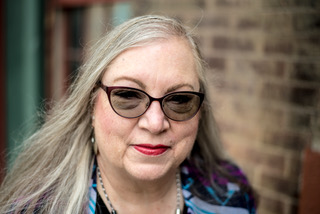
Lynette M. Burrows loves coffee, reading physical books, and the crack of a 9mm pistol—not all at the same time, though they all show up in her stories. She writes science fiction about characters with the determination and strength to make courageous choices about self, family, and life.
Her series, The Fellowship Dystopia, presents a frightening familiar American tyranny that never was but could have been or may be. In My Soul to Keep, Miranda will fight the tyrants, even if they are family, even if it means her death. Book two of the series, If I Should Die, will be published in the spring of 2022.
In Fellowship, the series companion novel, a desperate young man and his siblings must find the one who betrayed their parents before government agents find him and his siblings.
Owned by two Yorkshire Terriers, Lynette lives in the land of Oz. You can find her online at her website, on Facebook, or on Twitter @LynetteMBurrows.
Image Credits
- First photo by Vlad Deep on Unsplash
- Second and third image by mohamed Hassan from Pixabay
- Final image by Angel Hernandez from Pixabay




