Writers in the Storm

A blog about writing

storm moving across a field
The Murky Waters of Series Branding

June Stevens Westerfield

I had hoped to avoid the particular topic I’m about to broach completely; however, as I always talk to you guys about branding, I would be remiss if I ignored the current publishing climate and didn’t take the time to discuss book branding as it relates to your cover and title.

As you likely know, the publishing industry is currently in an uproar over an author who has reportedly trademarked a certain word and is now attempting to prevent all other authors (not just indie-authors) from using said word in book and series titles. I will not be speaking directly to this situation as the legalities are murky, I do not know all of the specifics of the case, and I am not a lawyer or an expert in copyright or trademark law. However, I am a veteran of the publishing industry and a branding specialist, and what I can do is try to give some of you a little perspective on how things generally work in the publishing world and in the plainest terms possible.

Authors are, understandably, upset. Even those unaffected by the current trademark debacle are in a panic. I’ve seen questions all over the place, on Facebook, in forums, with authors scared this could happen to them and wondering if they should start trademarking their own titles.

The quick and dirty answers (in my professional, but non-legal, opinion) are: A. Yes, it could happen to you, especially if everyone panics and starts registering trademarks willy-nilly. B. No, you should not start filing trademarks on your titles. Not yet, and possibly not ever. (SIDE NOTE: There is a difference between copyright and trademark. If you aren’t sure of the difference or whether you are violating one or the other, consult a lawyer. Always.)

In my personal opinion, as someone who has been in and around the indie and small press publishing industry for 14+ years, trademarking a specific word or combo of words in order to prevent them from being used in a book title and/or series is both in bad form and shows a deep misunderstanding of the concepts of copyright infringement and writing to market as well as a lack of understanding of the book publishing world in general.

First off, let’s start out by saying something every creative should know: There are no original ideas. There aren’t. If you think you are unique and special because all of your ideas are one of a kind, you are deluding yourself. This is not meant to be cruel; it’s just fact. There are only so many basic plot lines in the history of spoken and written language and storytelling, and there is no way there is an idea out there that has never been thought of and used. What IS unique is your spin on it—your voice and how you tell the story. Now I’m not going to go into plagiarism or copyright infringement as it pertains to book content. Those are deep and murky waters. For now, let’s focus on titles and covers.

In the terms of cover art and book titles, the ability for 100% uniqueness narrows considerably. Why? Well, in the case of titles, there are only so many words in the English language and only so many coherent combinations of those words. There are going to be books with same or similar titles as yours. There is a very good chance that, despite any due diligence on your part, there was, at some point, a book with your title published previously. It happens. It’s not copyright infringement, and it does not mean that an author is copying you or that they are trying to deliberately deceive YOUR readers. Regardless of the legalities of the action, trademarking or attempting to trademark a specific word to prohibit others from using it in order to prevent books having similar titles as yours is, at best, an over-reaction and, at worst, a really nasty thing to do to your fellow authors.

Vintage book cover art: TRUE LOVE

And then, when we move into the realm of cover art, the world narrows even more. This is perhaps the hardest concept for people to understand, especially readers who have no idea how the industry works. The overwhelming majority of book covers are made from stock photos. Even some of the large traditional publishers go this route. There are only so many stock photo outlets in the world, even with more and more photographers popping up and creating stock sites specific to the romance genre (and its many sub-genres). Unless you pay huge sums of money for a personalized photo shoot, there is a huge likelihood that someone else will use the same photo in their cover. Even if you do have that kind of money (very rare for indie-authors), you would also have to find completely unknown models who will never participate in another photoshoot. This is highly unlikely.

A cover designer will do their best to take the chosen photos and create a cover that is unique to your book using design elements, font, and often other images. There are specific licenses attached to stock photos. Each license type has its own “dos and don’ts” spelled out. As long as the cover designer adheres to the requirements of the license type purchased, then there are no copyright infringements being made. Yes, a cover may be similar to yours, but as long as the cover is not an exact replica (meaning it uses all of these elements: same images, same design techniques, same font, same title words), then the cover itself is probably not a violation of your copyright. (If you are unsure, consult a lawyer immediately.)

Now, let’s discuss marketing and writing (or designing) to market. But first, I would like you to open another tab and go over to Amazon.com. When you get there, I want you to pull up the best seller lists of any fiction genre you choose in the Kindle Store. Then browse through the top 100 of both paid and free and look at the covers. Then go to another genre and do the same thing. Go ahead, I’ll wait.

Now, let’s talk about what you saw there. I don’t know what categories you chose, but regardless of what you chose I can pretty much guess what you saw. You saw a bunch of covers that, while each was unique, were also similar in ways. You saw a bunch of similar colors, fonts, and you may have seen the same basic image in a couple of covers if you looked through the whole top 100. And you probably saw titles that had similar wording. And when you changed genres you likely saw more of the same, though depending on the genre the similarities of these covers and titles were probably different from the previous genre you were looking at.

The main goal of book publishers (traditional, small press, or indie-authors) is to sell books. This is done through marketing.

If you’ve ever had a branding consultation (from me or another consultant) you’ve been told to go look at the brands and websites of big-name authors who are selling well in your particular genre. This isn’t to copy their brand, but to see what works. If you’ve ever talked to an agent or a publishing consultant, you might have heard the term “write to market.” This basically means, choose a best-selling genre and write within that genre. Write what readers are reading. If readers are clamoring for three-headed vampire werewolf teenagers, then you write about a three-headed vampire-werewolf teenager who falls in love with three different guys (one for each head, of course).

To effectively create titles and cover art that sell, you must follow the same concepts: see what else is out there and design/create to market. If you write vampire-werewolf teen romance and all of the best-selling covers in the genre have bats and wolves on them, you might want to put a bat or a wolf on your cover. You may also want to choose a title that speaks to the genre as well as the content of the book. In that particular genre you might see a lot of titles with variations of the words vamp, bite, bitten, hairy, howl, cold-hearted…the list could go on.

Word Cloud

So, yes, this is really silly, but you see my point, right?

While it may suck that your gorgeous cover model is on other books, that is just how it works. The thing is, readers don’t know this. And yes, you might get some emails from readers who think other authors are copying you. First, you investigate. Then, if all is kosher (and there is not actually someone selling YOUR book as their own), then it’s your job as an author (and a decent member of the publishing community) to just gently let those readers know that it is okay for other authors to use similar images and there isn’t anything wrong going on.

The same goes with similar titles, though you are unlikely to get many reports of this. To assume your readers can’t tell one book with the word Vamp in it from another book with the word Vamp in it is actually an insult to your readers. On a personal note, I use the word Moon in a particular series and in every book in that series. I have utter confidence that my readers will be able to tell my books from others with similar (or even the same) titles, if for no other reason than the fact that they can easily read the author name on the book.

When choosing titles, it is always a good bet to do a search on the title. If there is a very popular series that uses that exact title you may want to rethink it. And avoid a word combo — for instance, “Shadow Hunters” or “Twilight Saga” or “Hunger Games,” etc. — which could lead a reader to reasonably assume meant your book was a part of that series. And again, if you have ANY doubt, contact a lawyer before proceeding.

I hope I’ve given you a little better understanding of a very confusing topic. I know everything is kind of blown up and scary right now but try to stay calm and just carry on as normal. If you are really unsure about something you are doing, contact a lawyer that specializes in copyright or trademark law. Certainly, do so before doing anything drastic.

And please, try to be a good member of the publishing community. Protect yourself; but try not to do so in a way that hurts others.

How have you branded your series in a way that achieves uniqueness and marketability at the same time? What questions do you have about series branding?

About June

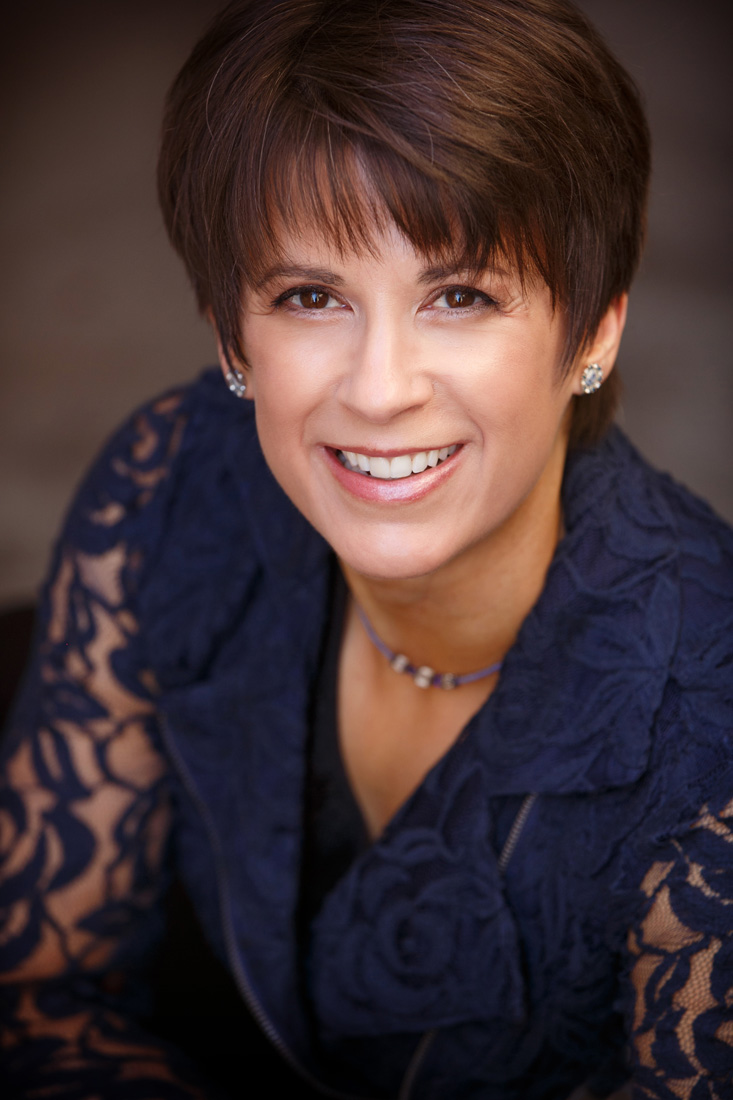
June Stevens Westerfield writes romantic fiction with strong, confident heroines. Her non-fiction work includes collections of real life stories that help give other women a voice. In addition to writing, she runs two small businesses designing greeting cards and websites. When not working she can be found reading, making jewelry, or snuggling on the sofa with her husband and six furbabies binge watching Netflix.

About ABE
FB_AVATAR-300x300

Author Branding Essentials is dedicated to offering comprehensive author centric branding and design services at competitive prices. As an Author, your name is your brand. Building your Author Brand is key to success. Many agents encourage authors to begin building that brand long before they are published. At Author Branding Essentials we understand the unique criteria it takes to build an author brand, versus another type of business. We can help you decide on the best options for your author brand and help you implement them.

Read More
Save Every Word with Scrivener's Snapshots Feature

Gwen Hernandez

A lot of the scenes I write get deleted or gutted, but that doesn't mean I want to lose my original words. Because of my crazy writing process, I have to lay down a lot of words before I find the core of my story. Which means I often go back to old scenes and pilfer snippets of conversations, descriptions, or other elements, even if I've completely changed everything else.

I have a folder in Scrivener to store unused (read: deleted) sections, but maintaining copies of every version of every working scene could get unwieldy or confusing. Luckily, Scrivener has a better way to store old versions of your work: snapshots.

What is a Snapshot?

A snapshot is an un-editable, frozen-in-time copy of a document. Unlike project file backups, snapshots are taken at the document (i.e. scene or chapter) level within your project.

Here are a few key points about snapshots before we learn how to use them.

  • You can take/store more than one snapshot of a document.
  • Snapshots are date/time-stamped.
  • You can name each snapshot to keep track of which version of a document it represents.
  • Snapshots are stored with their original document, so if you delete a document, you lose its snapshots/history.
  • You can take a snapshot of more than one document at a time, but it's intended for small numbers of files, not the entire project.

When to Use Snapshots

I try to take a snapshot before making any material changes to a document. For example, I take a snapshot before:

  • rewriting a scene.
  • working through revisions to the first draft of the book.
  • making my content editor's suggested revisions.
  • making copyedits.

Creating a Snapshot

Ready? Here's how to create a snapshot.

  1. Select the desired document(s) in the Binder.
  2. Go to Documents>Snapshots>Take Snapshots of Selected Documents.

NOTE: If your cursor is already in the document you want to capture, the submenu displays Take Snapshot.

If your speaker volume is on, you'll hear a camera shutter click. The snapshot is added to the Snapshots pane, which we'll cover in a second.

Notice that the icon for the document now has a folded (i.e. dog-eared) corner.

Taking a Titled Snapshot

If you use the steps above, your snapshot will simply be called Untitled Snapshot. To add your own title, follow the steps above, but choose Documents>Snapshots>Take Titled Snapshots of Selected Documents.

NOTE: If your cursor is already in the document you want to capture, the menu displays Take Snapshot with Title.

You'll see later that you can also change the title after taking a snapshot, so if you forget to do it at the time—me, always, because I only have the Take Snapshot shortcut memorized—no biggie.

Viewing Your Snapshots

To view the list of snapshots, click the Snapshots (camera) button in the Inspector. The button contains an asterisk if your document has any snapshots.

TIP: If you don't see the Inspector (right-hand sidebar), go to Documents>Snapshots>Show Snapshots to open the Inspector directly to the Snapshots pane.

Renaming a Snapshot

To rename a snapshot, double-click on the title of the desired snapshot and type a new name. This is handy if you forgot to name it upon capture or change your mind about what to call it.

Viewing the Contents of an Existing Snapshot

To view the contents of a snapshot, select it in the Snapshots list. The original text appears in the pane below.

The snapshot is read-only and can't be edited. However, you can copy text from the snapshot and paste it elsewhere.

Comparing a Snapshot with the Current Version (Scrivener 2 and 3 only)

Want to see what's different between the current version of a document and a snapshot? Here's how to view your changes.

  1. In the Binder, select the file you want to compare.
  2. Make sure the Snapshots pane is visible in the Inspector and select the snapshot you want to view in the list.
  3. Click the Compare button. Deletions show up as red strike-through text. Additions are displayed as blue underlined text.Use the left/right arrow buttons in the Snapshots header to jump between additions/deletions in the snapshot pane. Click the gear button in the Snapshots header to choose the level of granularity in the comparison.
  4. To turn off the comparison and view the snapshot in its original form, click the Original button.

Viewing Snapshot Contents in the Editor (Scrivener 2 and 3 only)

If the snapshots pane is too small, you can also view and compare versions in the Editor.

  • To view a snapshot without red/blue edit marks, drag the title of the snapshot you want to view to the Editor header. A camera icon denotes that you're viewing a snapshot.
  • If you want the edits to show in the the Editor, hold down the Option key while dragging the desired snapshot to the editor header.

To stop viewing the snapshot in the Editor, simply choose any document in the Binder.

CAUTION: Be sure you drag the snapshots title to the header, otherwise you'll insert the contents of the snapshot into the document you're viewing, and Undo won't remove it.

TIP: This also works in split screen mode if you want to view the current version in one pane and the snapshot in the other, or two snapshot versions side by side.

Returning to an Older Version of Your Document

What if you change your mind and want to return to a different version of a document? No problem.

  1. Select the snapshot with which you want to overwrite your current document.
  2. Click the Roll Back button in the Snapshots header. You'll be prompted to take a snapshot of the current version before overwriting it. If desired, click Yes. Choosing No rolls back without taking a snapshot.

Adding/Deleting a Snapshot

You can add a snapshot directly from the Snapshots pane by clicking the [+] button in the Snapshots header.

To delete a snapshot, select it in the list and click the [-] button in the Snapshots header.

Searching for a Snapshot (Scrivener 3 only)

Looking for a deleted conversation or eloquent description but don't remember which scene it's attached to? No problem. You can search your snapshots.

  1. Go to Documents>Snapshots>Show Snapshots Manager.
  2. In the Search text box type the word(s) to search for.
  3. For those that match, the Snapshots Manager displays each document with a list of snapshots that meets the criteria beneath.
  4. Click a snapshot to view it on the right side of the window. You'll notice the Compare, Delete, and Roll Back options below, and you can also copy text from this pane.

What questions do you have about snapshots or Scrivener? How do you keep track of old versions of your writing?

*  *  *  *  *  *

About Gwen

Gwen Hernandez is the author of Scrivener For Dummies and helps authors all over the world find the joy in Scrivener through her online courses, in-person workshops, and private training. She also writes romantic suspense (Men of Steele series).

In her spare time she likes to travel, read, jog, flail on a yoga mat, and explore southern California, where she currently lives with her husband and a lazy golden retriever.

Read More
Writing Fresh Faces: Beyond Cold, Hard Stares

Margie Lawson

Hmm…  Cold hard stare.

Have you read that descriptor before? Maybe more than once? More than a dozen times?

What about variations on these lines:

She narrowed her eyes to slits.

His eyes popped open as wide as saucers.

She scowled.

He arched a sardonic eyebrow.

What happens when readers read phrases or sentences they’ve read before?

They are not as attached to the read.

That page is not a page-turner.

But it’s easy to give the readers a little hit of fresh writing. Big hits are good too. As long as it’s still a smooth read. As long as it doesn’t jerk the reader out of your story.

The examples below share amplifications. The author amplified. They spotlighted body language. Added more descriptors or thoughts or shared how an expression from a non-POV character impacted the POV character.

The facial expression carried more power. Deepened characterization. Made relationships more complex.

Hear the compelling cadence.

Read the examples out loud. You’ll hear the compelling cadence that drives the reader through sentences and paragraphs and passages.

I shared examples from seven Immersion Grads. These authors have completed at least one 5-day intensive with me.  Some have done several of my Immersion Master Classes.

I deep edit analyzed examples from the first few authors. I couldn’t analyze them all, the blog would have been waaay too long.

Grave Secrets, Skye Jordan (Joan Swan), 3-time Immersion Grad

  1. That cold, sharp gaze of his cut into her again.

Deep Editing Analysis:  Love that line. A few tweaks and it carries so much more power than a cold, hard stare.

Multiple Amplifications: Two descriptors for gaze, and shared how the look impacts the POV character. Compelling Cadence. Smart writing in that seemingly simple sentence.

Could Have Written: He gave her a cold, hard stare.


  1. He held her gaze with eyes that somehow reassured her. She felt the connection in the pit of her stomach, a warm, coming-to-life tingle.

Deep Editing Analysis:  Multiple Amplifications; Look is a stimulus for a visceral response. Hyphenated-run-on. Power words.

Could Have Written: He gave her a reassuring look.


  1. But the look on Audrey’s face gave the news away, and the terror clawed at Savannah’s gut.

Deep Editing Analysis:  Scary, scary. Powerful message. Amplifications; Look is a stimulus for a visceral response. Power words.

Could Have Written: She saw the look on Audrey’s face and knew. Her stomach clenched.


  1. Her son finally glanced up, his expression flat—something Savannah had dubbed the Hank effect.

Deep Editing Analysis:  Ha! A snickerable moment. Humor Hit – Named the look.

Could Have Written: Her son finally glanced up.


Saving Mercy, Abbie Roads, 3-time Immersion Grad

  1. “I’m not him.” He repeated the sentence, nothing in his tone changing, but she saw something in his eyes—through his eyes. Sadness. Resolve. And just a hint of fear. That was her undoing. That he could be scared of her—wow.

Deep Editing Analysis:  Multiple Amplifications; Showing What’s Not There; Fresh writing; Shared how POV character impacted him, and how knowing that impacted her.

Could Have Written: His tone didn’t change, but he looked intimidated.


  1. She started to push back from him, but he caught her wrists, his grip impenetrable, his eyes stone-cold serious.

Deep Editing Analysis:  Hear that compelling cadences? Two Amplifications: Fresh writing. Look how she has three descriptors in a row. Smart writing.

Could Have Written: He grabbed her wrists and glared at her.


  1. She packed her gaze with truth. Wanted to sear this moment into his brain and hope later, when she left, he’d understand that it wasn’t because of him.

Deep Editing Analysis: Wow! Packed gaze with truth. Fresh and powerful! Multiple Amplifications; Power words. Deepens characterization.


  1. But then his father’s gaze shifted, and the fragile bubble of time popped.

Deep Editing Analysis:  Love the fresh writing! We know exactly what she means.

Could Have Written: He looked away and the moment was gone.


Long Shot, Kennedy Ryan, Immersion Grad

  1. We stare at each other in a silence rich with things I shouldn’t say.

Deep Editing Analysis:  Beautiful amplification of silence. Fresh Writing. Deepens characterization. Compelling cadence too.

Could Have Written: We stared at each other and it seemed like the world stopped.


  1. A tornado touches down on his face, his brows. Lightning strikes over stormy eyes.

Deep Editing Analysis:  Powerful metaphor, themed twice. Stunning writing.

Could Have Written: He looked more angry than I’d ever seen him look.


  1. Even in the darkness, his cold stare penetrates my clothes and leaves my skin clammy.

Deep Editing Analysis: Two Amplifications. Deepens characterization. His look is a stimulus for a physical response.

Could Have Written: He gave me a cold stare. I shivered.


  1. Something flickers through his eyes so quickly there’s not time for me to read it. Guilt? Anger?

Deep Editing Analysis: Flicker Face Emotion. Couldn’t be interpreted, but the power is on the page with what the POV character infers. Powerful.

Could Have Written: I couldn’t tell what he was thinking.


The Forgotten Ones, Steena Holmes, Immersion Grad, 2-time Cruising Writers Grad, NYT Bestseller

  1. “How long have you been on the run?” David decided to call it like he saw it, despite the flash of fear that flared up in her gaze.
  2. Mom bolts from her seat and glares at me. Though she leaves her words unspoken, her gaze is doing plenty of yelling.
  3. “He reminds me of you.” I swallow hard and watch the shift in my mom’s eyes as she stops staring at me and looks back into the flames.
  4. David tried to get his wife to calm down, but he was stopped from saying anything further when she turned the force of the wildfire gaze in her eyes on him.


This Heart of Mine, C.C. Hunter (Christy Craig), Immersion Grad, NYT Bestseller

  1. Dad walks over. He’s wearing his I’ll-take-on-the-world face. The expression he wore most of the time when I was sick.
  2. I feel my smile slip from my eyes, my lips, and fall completely off my face.
  3. The oh-poor-you look on his face flips right to fear.
  4. And there’s nothing in his voice, his eyes, or his expression that says he’s lying.


Seize Today, Pintip Dunn, Immersion Grad, RITA Winner, NYT Bestseller

  1. I hold my face tight, but the grimace sneaks out anyway.
  2. And yet the guilt of the last six months radiates deep in her eyes. She clenches her jaw, keeping her expression rigidly neutral. If I wasn’t looking straight at her, I wouldn’t see her pain, But I’m looking. I see.
  3. The holo-image of the chairwoman smiles, the picture of serenity. She could be advertising a lake vacation at a virtual theatre.
  4. My mother is watching me carefully, with an expression that makes a chill creep up my spine. It’s an expression that says she knows my heart, she sees my soul. An expression that suggests she knows me better than I know myself.


Three Days Missing, Kimberly Belle, 4-time Immersion Grad, USA Today Bestseller

Examples are from the Advanced Reader Copy. Three Days Missing comes out June 26th.

The last two examples are dialogue cues. Sharing more fun.

  1. His face is a furious mask, and I have to remind myself his rage is not directed at me. Sam glares across the foyer in a way that makes it seem like all this—the agents, the warrant—is somehow Josh’s fault.
  2. Josh’s head whips up and something changes on his face. Something small and barely noticeable, a tightening around his eyes. He sips from his glass, his gaze fishing away the way Sammy’s does when I ask why there’s an empty box of cookies in the pantry.
  3. “How come you’re not in uniform?” The question comes out unsteady and without rhythm. I’m surprised I’m able to speak at all. My throat is desert-dry, and my tongue feels like a deadweight, swollen to twice its size.
  4. I call Mac, choking out the words in seizure of spurts. Hikers. Body. Boy.My voice rising, spiralling into a steady wail Mac has to shout over.

Three Smart Takeaways:

  1. When it’s important, amplify the subtext.
  2. Make every sentence cadence driven.
  3. Write fresh. Don’t give readers descriptors they’ve read in hundreds of books.

Kudos to all the Immersion grads referenced in this blog. Love, love, love their writing!

And -- THANK YOU to the WITS gals for hosting me. Can’t wait to see you at RWA National! 

Keep in mind this blog is only five pages long. My online course on body language has over 200 pages. It’s loaded with MORE TEACHING POINTS.   

Lots more teaching points than are shared here. The online course has plenty of examples and explanations to help you make your writing bestseller-strong. Plus, online courses are fun. And if you know me, you know I’m all about fun.

 The course that includes all those facial expressions starts June 1st. Check out -- Writing Body Language and Dialogue Cues Like a Psychologist.

Please post a comment or share a ‘Hi Margie!’ Post something -- and you have two chances to be a winner.

You could win a Lecture Packet from me, or an online class from Lawson Writer’s Academy!

Lawson Writer's Academy – June Courses

  1. Two-Week Intensive: Staking the Stakes
  2. Two-Week Intensive: Show Not Tell
  3. Five Week First Draft
  4. Write Better Faster
  5. Ta Da - How to Put Funny on the Page
  6. Editing Magic: Work with a Professional Editor
  7. Writing Body Language and Dialogue Cues Like a Psychologist

Post a comment. Let me know you’re here.

I’ll draw names for the TWO WINNERS Thursday night, at 9PM, and post them in the comments section.

Like this blog? Give it a social media boost. Thank you.

  *     *     *     *     *

Margie Lawson Photo

Margie Lawson —editor and international presenter – teaches writers how to use her psychologically-based editing systems and deep editing techniques to create page turners.

She’s presented over 120 full day master classes in the U.S., Canada, Australia, New Zealand, and France, as well as taught multi-day intensives on cruises in the Caribbean.

To learn about Margie’s 5-day Immersion Master Classes (in 2018, in Phoenix, Denver, San Jose area, Dallas, Yosemite, Los Angeles (2), Atlanta, and in Sydney, Melbourne, and Coolangatta, Australia), Cruising Writers cruises, full day and weekend workshops, keynote speeches, online courses through Lawson Writer’s Academy, lecture packets, and newsletter, please visit: www.margielawson.com


Read More

Subscribe to WITS

Recent Posts

Search

WITS Team

Categories

Archives

Copyright © 2026 Writers In The Storm - All Rights Reserved