

Turning Whine into Gold
You will experience unexpected setbacks and disappointments in your writing career. This is not a guess, or a mere function of my confident writer’s voice—it is a given. And when the stormy seas threaten to sink your spirit, one of the best ways to stay afloat is to remain tethered to the larger world and a greater purpose.
Your inner artist will fight this. All it wants is to lure you deeper into the tunnel of your own mind, consuming your time and energy and spirit until you are fully sequestered. Tricky thing, that tunnel—it may be your imagined route to maximum output, but it can also lead to some pretty dark places.
Especially when you hit an obstacle that throws you for a loop, as happened when my publisher’s ambitious media campaign for The Far End of Happy, my novelization of my first husband’s suicide standoff releasing May 5, fell through.
Expectations for second novels weigh on any author, but this is a project I’ve waited seventeen years to write, It’s important to me. Early on, when I first saw the tight production schedule, I knew I’d have to dump ballast from my schedule to complete it, so I resigned from many of the volunteer activities in the writing community that had given me a deep sense of purpose through my many years of revision and rejection. And it worked—I got my novel done, and let no one down in the process.
Except, perhaps, myself. Defining yourself by only one activity leaves you vulnerable when inevitable problems hit.
I’d poured everything into this book, and when I got the bad PR news I feared all my efforts might turn into a cosmic joke. I’d be peddling “the book no one knew existed,” and my “career” would come to a screeching halt.
“It’s not time to panic yet,” my publicist said.
Right.
This book completed such an important emotional arc for me that I couldn’t even envision what life beyond it might look like. I had to make this work. I flew into action in the way that only full-fledged panic can inspire—and my entire team started to think outside the box.
While brainstorming with my agent, something exciting happened: a Twitter campaign, #choosethisday, was born.
On the day my husband chose death over life, “choose this day” became my mantra. Each day, no matter how sad or horrified or frustrated I felt, I chose life—and with this simple daily act, my sense of empowerment grew.
Now that I saw my book through to publication I want to write inspirational messages and cast them into the wild, random Twitterverse. I want people to be more aware of signs of depression and suicidal behavior. I’m not a psychiatrist and won’t play one on the Internet—but I can share resources where people who are truly hurting can find help.
I’m writing this post because it fits my “Turning Whine Into Gold” theme, to be sure. It’s already brought me gold: for the first time in my life, since the suicide, I can envision a project with the potential to last beyond the life of this second novel.
But I’m also writing to do something else it took my husband’s death for me to learn to do: ask for your help.
On May 1, I am asking everyone I know on Twitter to post an empowering, positive message or quote using the #choosethisday hashtag.
Why May 1? Two reasons: because “mayday” is a distress signal, and because “May Day” is an ancient celebration of renewal. Both play into the notion of positivity and suicide awareness that I hope to advance.
I’m hoping, through a massive number of retweets, to keep this going throughout May, and end with a Twitter event after Memorial Day that is still in the planning stages.
Might you add your voice to #choosethisday? It will cost you a little bit of positivity. A favorite inspirational quote. A small confession of what makes you come alive.
If you don’t yet follow me, please do so @kcraftwriter. I’ll follow you back. If you’re not on Twitter you can still play—I’ll happily accept #choosethislife quotes on my Facebook Author Page as well, and look forward to sharing in your inspiration on May Day and beyond!
What activities, non-writing communities, or initiatives keep you tied to a world larger than your stories? What beyond writing gives you a sense of purpose? I’d love to hear your answers.
* * * * * *
About Kathryn

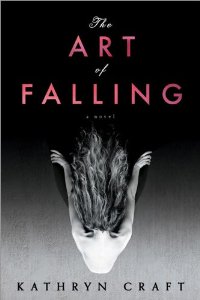
Kathryn Craft is the author of two novels from Sourcebooks: The Art of Falling, and The Far End of Happy, out May 5.
Her work as a developmental editor at Writing-Partner.com, specializing in storytelling structure and writing craft, follows a nineteen-year career as a dance critic. Long a leader in the southeastern Pennsylvania writing scene, she hosts lakeside writing retreats for women in northern New York State, leads workshops, and speaks often about writing.
Kathryn lives with her husband in Bucks County, PA.
Twitter: @kcraftwriter
FB: KathrynCraftAuthor




