Writers in the Storm

A blog about writing

storm moving across a field
The Magic of World Anvil

by Lisa Norman

In my last post, I talked about digital readers, a group of readers who like to interact with stories in new and creative ways. Many of these readers are young, but not all. People of all ages are discovering the fun of interacting with stories and the passion is contagious. Now I want to show you my favorite new toy for writers: writing software designed to build worlds that readers can become immersed in.

(Note: this is a simplified version of an interview I did with Janet Forbes that you can read on my website.)

What is World Anvil?

  • A magical writing notebook that organizes your notes
  • A novel-writing software connected to that notebook
  • A publishing platform where you can share your work — IF you want to (It can be used both as a digital publishing platform for your stories similar to Wattpad, and as a website content management system similar to WordPress.)
  • A vibrant community of writers, artists, and readers

If you are like me, your first question is, "How much does this cost?"

World Anvil has a free tier, which is good for testing how the platform works, but for a serious writer, this won't be enough. I recommend at least the Master level, $58/year. This will give you the ability to create private articles and to use the manuscript-writing tools.

Breaking with my normal frugality: if you decide you love World Anvil, check out the Sage level if you can afford it: $300/year or $35/month. (There's also a lifetime option available.) While there are functional differences to the levels, I love the Sage tier because of the training that the World Anvil folks provide at this level.

World Anvil cares deeply about the success of their Sages. They provide ongoing live seminars and an archive of business education that I wish every author could have. Think high-level marketing education designed just for writers and creatives. None of the confusing marketing education designed for coaches or widget salespeople being modified for authors. This is focused on helping writers and game developers succeed. During the live sessions, they have times when you can ask your questions and get genuine answers.

What do game developers and writers have in common?

Both fields focus on storytelling. In both careers, building immersive worlds is the key to success. A game master built World Anvil for writers. He built it as an act of love. As you explore, you'll find tools and prompts designed to help you not only build immersive worlds, but write beautiful stories and finish your writing projects. Two features of the tool surprised me:

A Website Builder

I build websites for authors. With the Sage membership, you get the ability to link your custom domain name (the address to a website) to a world you build with World Anvil. You can build a world at any level and link to it, but linking a custom domain name to your world turns the experience into an interactive website that your fans can explore. You still need to bring your own domain name to the party ($20ish/year) but you don't have to pay additional hosting fees for this environment. If you've paid for website hosting, you'll see the value here.

This isn't a WordPress website. WordPress is a content management system used for website development. World Anvil is a unique content management system which can create a website that you design to show your world to your fans. These spaces can be shared for free, or they can be monetized by selling memberships through Patreon, Ko-fi, or even on your own website.

Monetization

Every level of World Anvil is designed to be friendly for monetization, helping creatives make money. The individual pieces of a world will be articles of different types. You can set permissions — easily — for each article. Some can be free and public. Others can be restricted to those who have finished book 1 of a series, for example, or for members of a certain level of support on your Patreon account.

How does World Anvil work?

I've worked with software like World Anvil before and loved it. The initial appearance can be overwhelming.

My husband maintains and repairs airplanes. In his hangar, there is a big red toolbox with many drawers. Open any of them and you'll find carefully polished tools, obscurely designed devices, each designed to fix a specific issue.

World Anvil is a writer's toolbox.

There are tools in there for everything you can imagine! The choices are overwhelming. Where do you start?

The answer is: you start with a world. Give your world a name. Don't worry, you can change it later.

From there, the next important step is to realize that you can use any tool you want. Nothing needs to be finished and polished until you are done. You don't need to follow a set procedure. World Anvil works the way you work. It lays out all of the tools and invites you to pick up whichever one you want to start with.

Stories, characters, worlds — all of these things grow slowly from many smaller pieces. In World Anvil, you start by putting your pieces together, adding ideas, and letting the structure build over time.

You aren't trying to bend your creative process to fit into a specific software's process. Instead, let your creativity explore. As you work, you'll find that the software will begin to make connections between related things. As you add more pieces, these connections will grow.

There are videos and tutorials spread throughout the software to help you if you need help. You'll also find thriving communities on Discord, Twitter, and Facebook, as well as a YouTube channel full of video tutorials.

World Meta

Menu showing where to find the World Meta

If you are truly lost, I suggest you start with the world Meta. This is a magical creativity-boosting section with prompts to get you to think about your reason for writing this story. When you open it, you'll see an introduction that will explain how this area works.

The world meta is a series of questions. You'll make notes on your genre, themes, focus, drama, scenes, people, and inspiration. The goal here is to create a design for your world that will guide you when you drift off into the weeds. If you lose focus or motivation, you can come back to this section, and it will use your own words, music, and images to motivate you and get you moving in the right direction.

Writing Notebook

Once you have a world, you fill that world with articles.

Think of articles as the research and worldbuilding notes for your world.

Here is a glimpse at the toolbox. There are pre-set types of articles, but note that you can always just do a generic article, a place to store any piece of the world that doesn't fit anywhere else.

This toolbox is not the writing software. It is the world-building software. Each article type is full of prompts to get you thinking, but remember: everything is optional!

As an example, let's talk about characters. You create a character, starting with their name. As you are building that character, you have the option to add parents, spouses, children, etc. If you add these, the system will automatically create a family tree.

If you create ethnicities for your world, you'll be able to assign those ethnicities to your characters. The same applies to organizations, religions, etc. Articles link together because in a world, things are interconnected.

If you create a tradition, for example, you can attach it to a location, an organization, or an ethnicity.

Interactive Maps

World Anvil lets you import maps that you've created for your world. (Don't worry if you don't have one. If you want one, they'll direct you to resources where you can create a beautiful map, or there's that wonderful community where you'll find mapmakers who are happy to work with you and design a map for you.) Then you can create articles related to countries, settlements, or buildings and you can place those on the map. Once you link the article on your map, you can click one of the icons on the map and the related article will open up. You can even link city maps to country maps so that you can drill down and see more details.

Whiteboards

The software now includes a new feature: whiteboards. Think mind-mapping software empowered by that writing notebook. Everything in your notebook can be placed on a whiteboard, interlinked, and connected. You can also add text, colors, shapes, free-form drawings, etc. This is a great way to plot out a novel or a series!

Writing Software — Manuscripts

The manuscripts feature is a basic text editor, similar to Scrivener in some ways. You create folders (chapters) and documents (scenes) inside the folders. These documents exist inside a manuscript that you can then "publish" on World Anvil or export to an HTML file that is suitable to pull into Microsoft Word or your ePub software. More export options are rumored to be coming soon. To see samples: https://www.worldanvil.com/community/manuscripts

While you are working, you can easily search all of your research and world-building notes to double-check, edit, or copy details that you may need.

World Anvil is a community.

One of my favorite parts of World Anvil is the vibrant community of authors, gamers, artists, and other creatives. As an author who occasionally feels alone, it is a wonderful experience to pop over into the Discord chat and ask a question.

You can ask questions related to story design, characters, or just look for someone to do sprints with. The community provides motivation and group challenges to give you ideas. You can participate, or not. Like everything else in World Anvil, entering challenges is optional.

To give you an example, the community recently had a challenge to build a tavern (or a bar) for your world. It could be in any setting. There were blog posts and teaching videos to spark ideas. People then shared their taverns and discussed them and how they could make them better.

Let's say you're designing your characters and you would love to have pictures of them for your family tree, but you can't draw. Pop into the community and hire an artist to draw your characters or learn about resources to help you find free images.

Welcome to a world of possibility.

This is a much-abbreviated introduction to World Anvil. If you have time, I hope you'll read my interview with Janet Forbes, the writer at the heart of World Anvil. https://deleyna.com/level-up-your-worldbuilding-skills/

What has your experience been with building worlds? What tools do you use? Please share your experiences with us down in the comments!

About Lisa

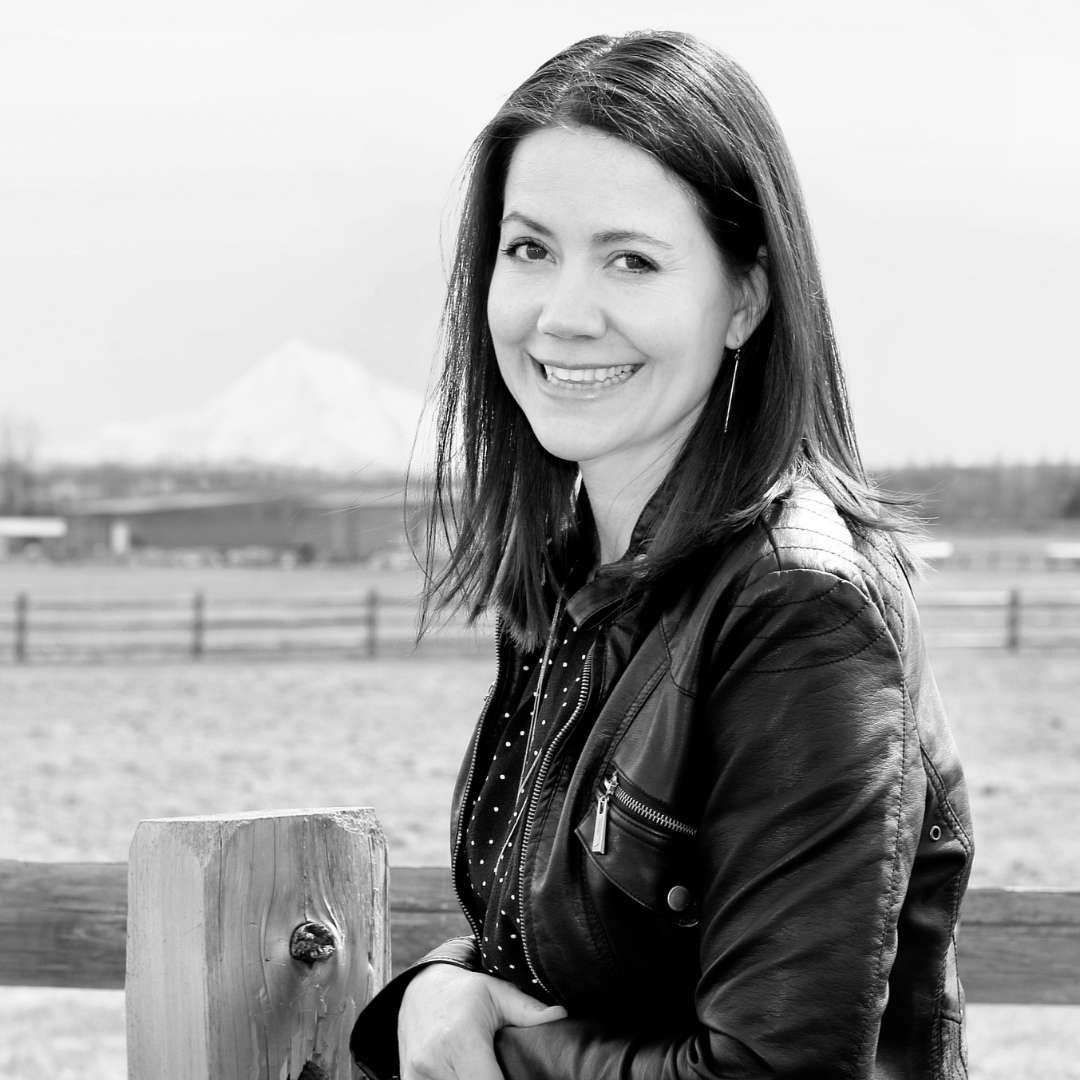
head shot of smiling Lisa Norman

Lisa Norman's passion has been writing since she could hold a pencil. While that is a cliché, she is unique in that her first novel was written on gum wrappers. As a young woman, she learned to program and discovered she has a talent for helping people and computers learn to work together and play nice. When she's not playing with her daughter, writing, or designing for the web, she can be found wandering the local beaches.

Lisa writes as Deleyna Marr and is the owner of Deleyna's Dynamic Designs, a web development company focused on helping writers, and Heart Ally Books, an indie publishing firm. She teaches for Lawson Writer's Academy.

Interested in learning more from Lisa? See her teaching schedule below.

Classes:

Credits:

Images are all screenshots from World Anvil used with permission.

Read More
10 Common Corrections I Make When Copyediting

Julie Glover

Whether the manuscript is a historical romance, an urban fantasy, or a contemporary teen novel, I've learned to expect certain errors when copyediting. They are so common and understandable that they appear in most manuscripts—including my own.

It's a good idea for writers to look for these mistakes themselves, before handing the manuscript over to a copyeditor. Why?

  • Mistakes can slip by even the keenest copyeditor's eye, so catching them ourselves means less likelihood of errors in the final product.
  • Some editors charge by the hour or offer clean manuscript discounts, so you can save money by doing a bit more prep work yourself.
  • We can improve our own mastery of language and grammar, making us better prose writers in the future.

With that in mind, let's get to the top ten corrections I commonly make. (And be sure to read to the end, because the last one is the most prevalent!)

Two Spaces vs. One Space

If you ever used a typewriter, then you learned to put two spaces between sentences. That break was important when each letter was the same size, but with the use of word processors and scalable fonts, those two spaces are neither necessary nor visually appealing. Every style guide recommends and every prominent publisher uses a single space between sentences.

Habits die hard though. Even if you've switched to that single space, your muscle memory might slide in an extra space now and then. You might be surprised how many have gotten into your book without your knowledge.

Run the Find & Replace function in whatever software you're using. Type two spaces into the Find, one space into the Replace, and Replace All.

Spaces at Beginning of Paragraph

Did you notice the extra space at the beginning of this paragraph?

Those extra spaces tend to show up at the beginning of paragraphs a few times in most manuscripts I've seen, and they may appear even more obvious in print.

Use that Find & Replace function again, this time typing in the formatting character for a paragraph break (^p in Word) followed by a space. Then put only the paragraph break in the Replace box (^p) and Replace All.

Extraneous Words

So we often begin sentences with extraneous words. And while that's okay now and again, we can overuse those beginnings. Then the flow begins to bog down, or character dialogue sounds too much alike across characters.

The words I began each of the sentences with in the prior paragraph—so, and, then—are some of the most common culprits. But you may have your own repetitive sentence openers.

Becoming aware of this tendency is the best long-term fix, so you can self-correct as you write or in early edits. However, you can also scan the manuscript's left margin, looking for those common words and then choosing which ones to keep and which ones to delete.

Homophones

Homophones are words with the same pronunciation but different spellings and meanings. Because they sound the same, we often confuse one word's spelling for another. Want an example of homophones? Here you go.

Other common homophones include:

  • passed/past
  • brake/break
  • die/dye
  • hear/here
  • road/rode
  • steal/steel
  • to/too/two

Different writers tend to confuse different homonyms. Knowing your own I mix up those words tendency can help you know which words to run a search for later to make sure you used the spelling you intended to use.

Comma with then

Let's look at a familiar sentence construction and ask whether it needs a comma:

  • Susie shifted her weight from one foot to another then sighed.

What if the sentence was:

  • Suzie sighed then shifted her weight from one foot to another.

In both circumstances, what's really meant is and then. That is, two separate activities occurred sequentially, first one and then the other. Accordingly, both sentences should have a comma before the word then.

When then is used as a shorthand for and then, a comma usually precedes the adverb....

She filled in the last square in Sunday’s puzzle, then yawned.

Chicago Manual of Style 6.23. See also 6.57.

Now, not all thens require a comma! For instance:

  • Then she headed to the beach.
  • Tests were then handed out.
  • She moved closer and then kissed him.

But it doesn't take long to run a search for the word then and check for commas where they should be.

Titles

Let's say you have a character who is a sheriff and resides in Badland County. Is he the Sheriff of Badland County or the sheriff of Badland County? What if you address him directly or by name?

Titles can be difficult, whether it's sheriff, queen, or master of the third realm. But here's the quick scoop to getting it right:

  • When referring to the office alone, use lowercase: I called the sheriff. I listened to the queen. I bowed to the master.
  • When referring to the official office title, use uppercase: Charles was elected Sheriff of Badland County. She was now Queen of Cluetopia. I had a crush on the Master of the Third Realm.
  • When addressing the person solely by title, use uppercase: Hey, Sheriff! Tea for you, Queen? Wassup, Master?

Sometimes your story will dictate a different approach for a particular title. For instance, in our Muse Island series, my coauthor and I chose to capitalize the m in Muse whenever referring to an individual. However, that was a conscious style choice to indicate the authority and personality of this magical energy source.

If you have characters with titles, go hunting for them and make sure you use the proper capitalization. If you make a different style choice, be consistent.

Words Spelled Two Ways

These are not homophones but rather words with the same meaning and two accepted spellings. In this case, it doesn't matter which one you choose, as long as you use the same one throughout the book.

Some examples:

  • adviser/advisor
  • ax/axe
  • barbecue/barbeque
  • donut/doughnut
  • leaped/leapt
  • whiskey/whisky

You can find lists of words spelled two ways here, here, here, or by searching the internet. See which ones you use often and run searches for those words with both spellings, double-checking for consistency.

Direction vs. Region

Heading southwest isn't the same as heading to the Southwest. Cardinal and ordinal direction words (e.g., north, northeast) can be used for direction or region. But if it's a direction, it's lowercase, and if it's a region, it's uppercase.

For example, if penning a novel set in my home state, I could write:

We left West Texas and headed east on I-10. The road turned south taking us toward Central Texas and a fresh start.

Consider the regions of your chosen setting, whether factual or fictional, and make sure you capitalize accordingly.

Oxford Comma

When it comes to the Oxford, or serial, comma, I ask for and follow my client's preference. For myself...

Either way, a writer should be consistent and clear. That is, if you're going with the Oxford comma, make sure to use it throughout. If you're not going with the Oxford, be consistent in leaving it out unless doing so confuses your message.

  • With Oxford comma: We ate toast, butter, and jam.
  • Without Oxford comma: We ate toast, butter and jam.
  • Needs the comma no matter what: We ate toast and jam, bacon and sausage, and pancakes and syrup.

Now you're hardly going to search for every comma or every and to check for consistent usage, but a fair number of writers haven't decided which approach to use. Pick one, use it as much as you remember to, and inform your copyeditor of your preference.

(Though if you want to do it right, go Oxford comma. ~wink~)

Who Is Speaking?

What's the number one thing I write over and over in the margin of manuscripts? "I don't know who's talking here."

In dialogue that goes back and forth or gets interrupted by action, internal dialogue, or exposition, it's easy to lose track of who's speaking. Let's look at an example.

Twila sat at the table. "I ordered a bottle of wine at the bar."
Craig smiled. "We can probably get through a bottle."
"The bottle's for me, mister. Get your own."
"Long day, huh?"
"Long life."
When she wasn't overworking, Twila was complaining about her schedule. Sometimes, she did both.
The waiter delivered the bottle, two glasses, and poured.
"So I guess this means we are sharing, even if that wasn't the original plan," she said.

With that last sentence, it could have been Twila or Craig speaking. You don't know until the very end! But if you simply move "she said" to earlier in the sentence:

The waiter delivered the bottle, two glasses, and poured.
"So," she said, "I guess this means we are sharing, even if that wasn't the original plan.

Scan your manuscript for large chunks of dialogue and read through those sections. See if there's any place where the speaker might not be clear. If needed, move the dialogue tag or cue earlier to avoid confusion.

Finding and correcting these mistakes will take additional time at first, but over time, your prose will be cleaner and clearer as you write and edit.


Julie Glover is an award-winning author of mysteries and young adult fiction. She also writes supernatural suspense under the pen name Jules Lynn.

She is currently working on book five in that series, which begins with Mark of the Gods.

When not writing, she collects boots, practices rampant sarcasm, and advocates for good grammar and the addition of the interrobang as a much-needed punctuation mark.

Image credits: Lorenzo Cafaro and Gerd Altmann from Pixabay, Polena Zimmerman from Pexels

Read More
5 Ways to Add Depth to a Scene

By Janice Hardy
@Janice_Hardy

A shallow scene keeps readers from diving into the story.

Years ago, when I was editing my debut novel for my agent (The Shifter for those curious), I struggled to fix a few weak areas in the beginning. I kept looking at ways to make it more.

More exciting. More tense. More mysterious.

But it kept getting less interesting.

After a few back and forths with ideas and outlines, my agent and I got on the phone to hash out directions to go. I suggested even more “more” ideas, then she stopped and dropped the best advice she ever gave me.

“Don’t go wider—go deeper.”

My problem was, I kept trying to add “stuff” to the story when the story was working overall. It was just a few scenes here and there that needed tweaking. Adding things that didn’t support what I’d already written didn’t work.

It wasn’t until I started drilling down into my themes, my premise, and my scenes that I found the right path to take to fix my “needs a little work” beginning. That path led to a three-book deal with Harper Collins, so I’m glad I listened.

“Going deeper” is all about pulling out the good stuff in your story.

It’s digging into the characters’ emotions, their goals, their fears, their hopes and dreams, and then taking advantage of it to make their lives miserable. Until you give them that happy ending of course. We’re not monsters (unless we write horror, then that’s a perk).

We all want rich scenes that grab a reader, so here are five ways to go deeper with your scenes and provide those extra layers of awesome.

1. Use Subtext to Suggest Things Unsaid

What a character isn’t saying is often more fascinating than what’s being said. Your subtext can not only add interesting layers to a scene, but can also help with description. The character’s body language and gestures will mean something, and won’t be an empty smile or brush of the hair.

  • Are your characters avoiding a topic of conversation?
  • Is there additional meaning lurking under a conversation they are having?
  • Does their body language not match what they’re saying?
  • Are you suggesting there’s more to what’s going on than the obvious?

If your characters are upfront and 100% honest all the time, you’re missing chances to create tension, mystery, and conflict in that scene.

2. Drop Hints of Things to Come (or Things Hidden)

Hide clues in plain sight, so when they become important later, readers have already seen them. For example, you might know that vase in the foyer is the key to who killed Grandma, so a simple moment when Cousin Joe bumps into it and it clinks is all you need to suggest there’s something inside that vase. The reveal of the hidden key at the end will feel inevitable and surprising instead of out of the blue, and you’ll look like a genius.

It’s also a great way to bring your setting and world into the action, and avoid infodumps and heavy descriptive passages.

  • Can you drop any odd comments into conversations?
  • Can anyone discover strange things?
  • Can clues be sitting on shelves or desks and be part of the general “room description” with no special focus on them?
  • Can the characters interact with something in a benign or causal way that they’ll need later on?

Looking at what’s in a scene and what the characters use is also a useful way to take what’s already there and give it more meaning later. For example, if you need a weapon in Chapter Fourteen, show the protagonist near or using a garden trowel in Chapter Three.

3. Use the Setting Instead of Just Walking Through it

There’s a lot of inherent conflict in a setting, as well as thematic opportunities. The right setting can change a character’s emotions, which can make them behave differently or make mistakes they ordinarily wouldn’t. If you need to knock a character off-kilter, the right setting could be a way to do it.

  • Are you putting the characters in the worst possible place for something to happen?
  • Is there a better setting that adds to the theme or makes an internal conflict harder?
  • Does the setting foreshadow anything?
  • How does the setting emotionally affect the characters?

If your scene could happen anywhere and nothing in it changes, then it’s not serving your story as well as it could.

4. Embrace All the Senses, Not Just Sight and Hearing

Creating a rich and vibrant scene puts readers in that scene, and gives you a chance to write something beyond the same old vanilla lines we all use. For example, smell is connected to memory, and memories can evoke emotions, so it’s a handy trigger if you need your character to remember something at the right time. Textures can also add a whole layer to a character struggling to find their way in the dark.

  • What smells might add to the scene?
  • Do any trigger a memory?
  • Is there food to taste?
  • What interesting textures are there to touch?
  • Can one sense suggest the opposite of what the rest of the senses are saying?

Don’t forget to look at the whole scene and imagine how a character might experience it. Unusual descriptions from non-typical senses bring originality to the story and the writing.

5. Make Connections to the Rest of the Novel

Scenes shouldn’t happen in a vacuum, and they’re stronger when they connect to other moments in the story. This is particularly useful when plotting, and can make the novel feel tight and well-crafted. Maybe that throwaway line could be a clue, or a walk-on character might play a bigger role, or a secret has farther-reaching consequences that expected.

  • What scenes might mirror another scene or event?
  • Can you make a casual comment link back to something that suggests it’s not casual at all?
  • Are there any details that shed light on a character’s past?
  • Can you combine any minor characters into one that influences the story?

After your first draft is done, look at the little details, throwaway lines, and small moments in your story and see if any would work well together. If you have any plot holes you need to fill, or subplots to create or flesh out, these little details and moments could be the perfect fix.

Deep scenes lead to deep stories readers can get lost in. 

It doesn’t take a lot of work to craft a rich scene. Even a few lines can add depth and provide new layers of interest for your readers.

How deep do you go in your scenes? Do you have examples of places where an author dove to the perfect level of "deep?"

About Janice

Janice Hardy is the award-winning author of the teen fantasy trilogy The Healing Wars, including The Shifter, Blue Fire, and Darkfall from Balzer+Bray/Harper Collins. She also writes the Grace Harper urban fantasy series for adults under the name, J.T. Hardy.

When she's not writing fiction, she runs the popular writing site Fiction University, and has written multiple books on writing, including Understanding Show, Don't Tell (And Really Getting It), Plotting Your Novel: Ideas and Structure, and the Revising Your Novel: First Draft to Finished Draft series. Sign up for her newsletter and receive 25 ways to Strengthen Your Writing Right Now free.

Read More

Subscribe to WITS

Recent Posts

Search

WITS Team

Categories

Archives

Copyright © 2026 Writers In The Storm - All Rights Reserved